Archive / NO.011 · AI Agent · AC · AI PC · Hermes · Industry
Three Eras of the Computer: PC, AI PC and AC
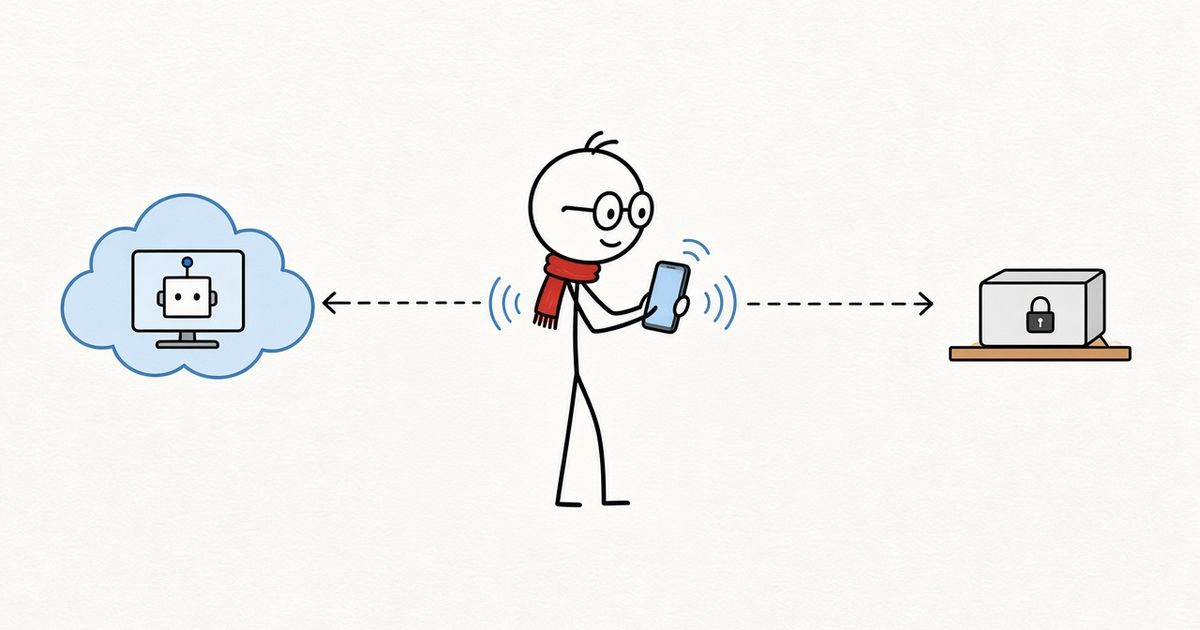
People used computers, then people and AI used them together, and now some computers are handed over to agents. I call the third era AC, the Agent Computer: you say one sentence into your phone, a computer somewhere else does the work, and the result comes back for you to sign off.
CONTENTS 08
Computers were first made for people. Then people and AI started using them together. Now a new kind of computer is appearing, one that is built for agents.
In brief
I split the history of the computer into three eras. The first is the PC, the Personal Computer, used mainly by people. The second is the AI PC: people still sit at the computer, talk to the agents on it and get the work done together. People are still the main users, and this is how most of us work today. The third I call AC, the Agent Computer. This computer is not for people; it is for agents. You are not at the screen. You say one sentence into your phone, it works on its own somewhere else, sends the result back, and you review it and make the call.
AC comes in two kinds. One lives in the cloud, like Grok Bot and Muse. The other lives at home, like OpenClaw and Hermes. I use both: anything that needs power and convenience goes to the cloud; anything private stays local, with Hermes on a small computer at home.
Over the past few days an assistant and I made a 72-second vertical video about how the computer has changed three times. It took six versions. By the end I realised that each revision was not really changing the visuals. It was changing how I understood the idea.
The first version said "three steps." I changed it to "three eras." Steps suggest a climb, as if each one is better than the last. Eras are different: all three ways of using a computer will exist side by side for a long time.
In the second version, the AI was drawn as a robot standing next to the computer. I asked for that to go. AI is software inside the computer, not another person sitting next to you.
The last version changed the most. In earlier cuts, the third era still showed a person at a screen, watching the AI open a browser and write code. The more I looked, the more wrong it felt: if the agent is doing the work, why is the person still guarding the screen?
Here is the video. Below, I take the three eras one at a time.
The first era: the PC, used by people
PC stands for Personal Computer. The name says it: this machine is for an individual. Writing documents, building spreadsheets, browsing, gaming. The user is a person, and the person is the protagonist.
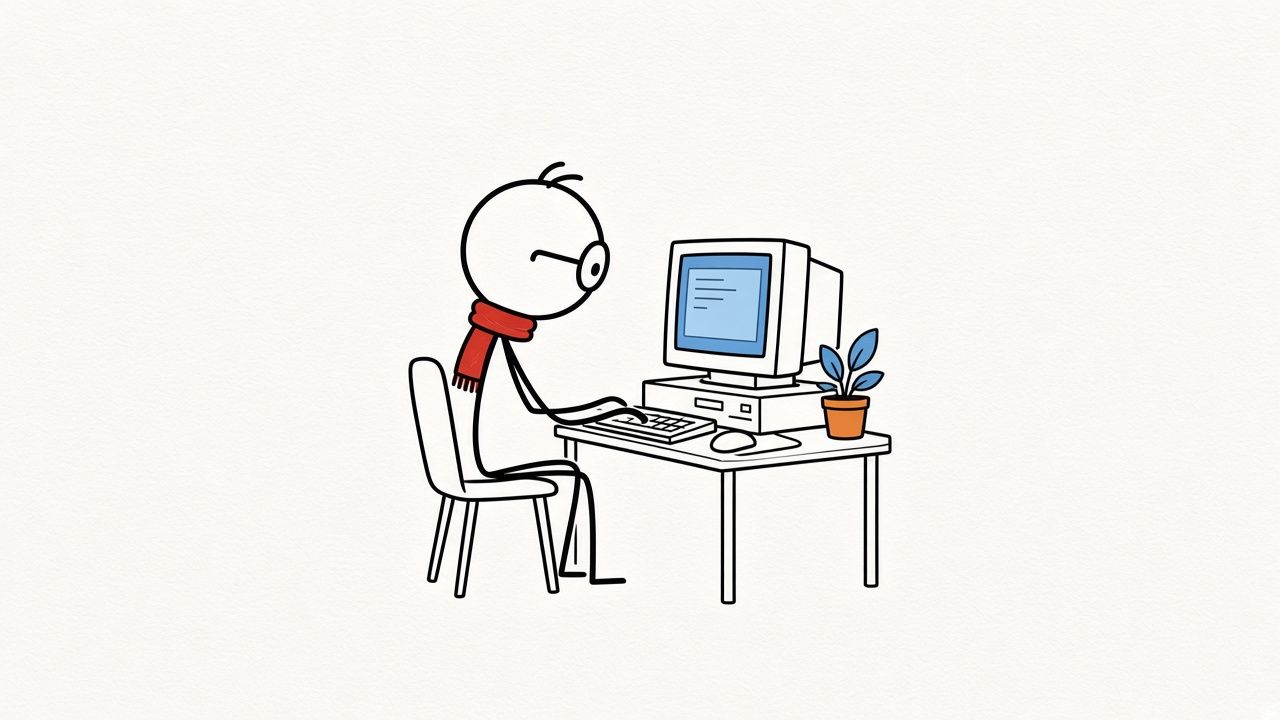
The rule of this era is simple: the computer has no intent; all intent sits with the person. However capable the software, it waits for an instruction. The computer is on the desk, the person sits in front of it, and between them are a keyboard, a mouse and a screen.
That rule held for decades, and most of how we work today grew on top of it: which folder a file goes in, which app opens it, where it is saved afterwards. The person remembers all of it and arranges all of it.
The second era: the AI PC
The second era is the AI PC. The computer now has agents on it. The person sits at the computer, talks to them and gets the work done together.
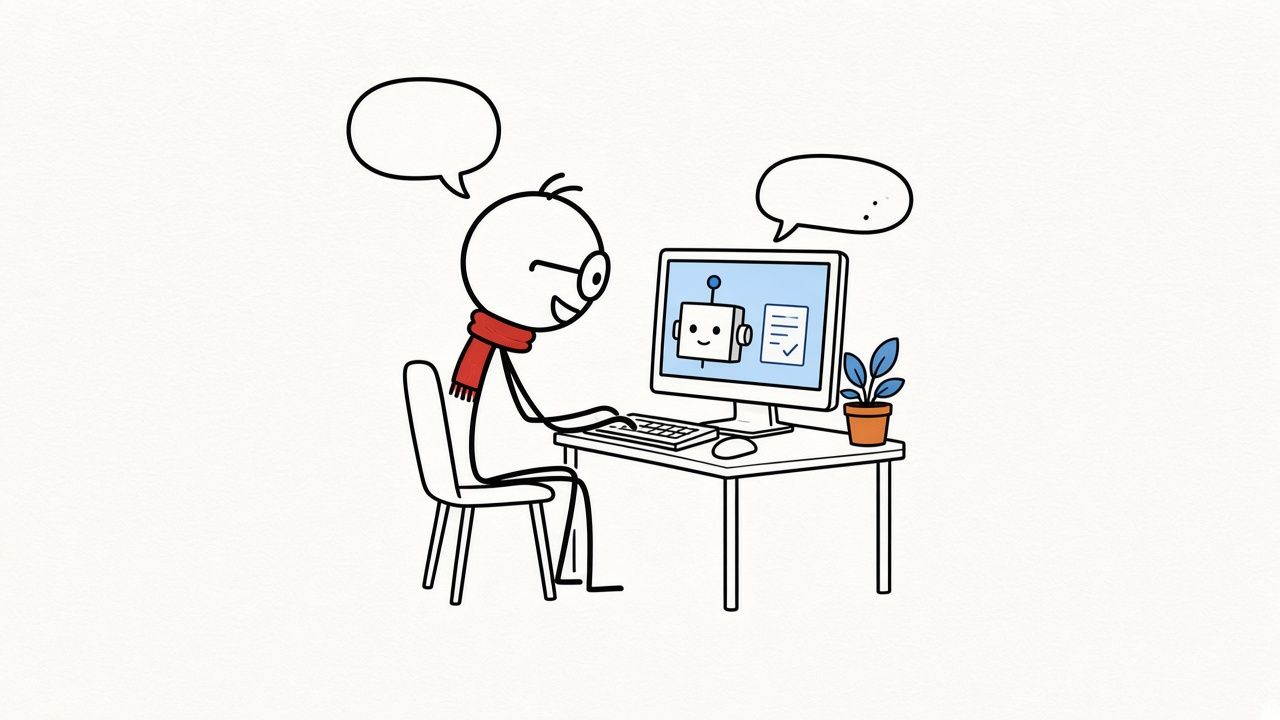
This era is not in the past. It is the present. Office agents like WorkBuddy and the many AI coding tools all work this way: you describe what you need, it drafts a plan, writes code, edits the document; you glance at it, say "this part is wrong," and it tries again. A few rounds later, the job is done.
Compared with the first era, a lot has changed. The weekly report you used to write, the material you used to dig through, the code you used to fix yourself: now it can take the first pass. But one thing has not changed. The person is still at the screen and is still the computer's main user. The agent works alongside you on the computer, and you set the pace.
So I sum this era up in one line: people and agents use the computer together.
I work in the PC industry myself, and over the past few years I have watched NPUs, on-device models and system-level assistants make their way into computers one by one. Today these capabilities serve the second era: people and agents using the computer together. In the third era, more of the work the computer does on its own will stay local too.
The third era: AC
Now we are entering the third era: AC, the Agent Computer.
This computer is not for people; it is for agents. You say one sentence into your phone, and somewhere else it opens a browser, runs code, makes a video on its own, then sends you the result for you to review and sign off.
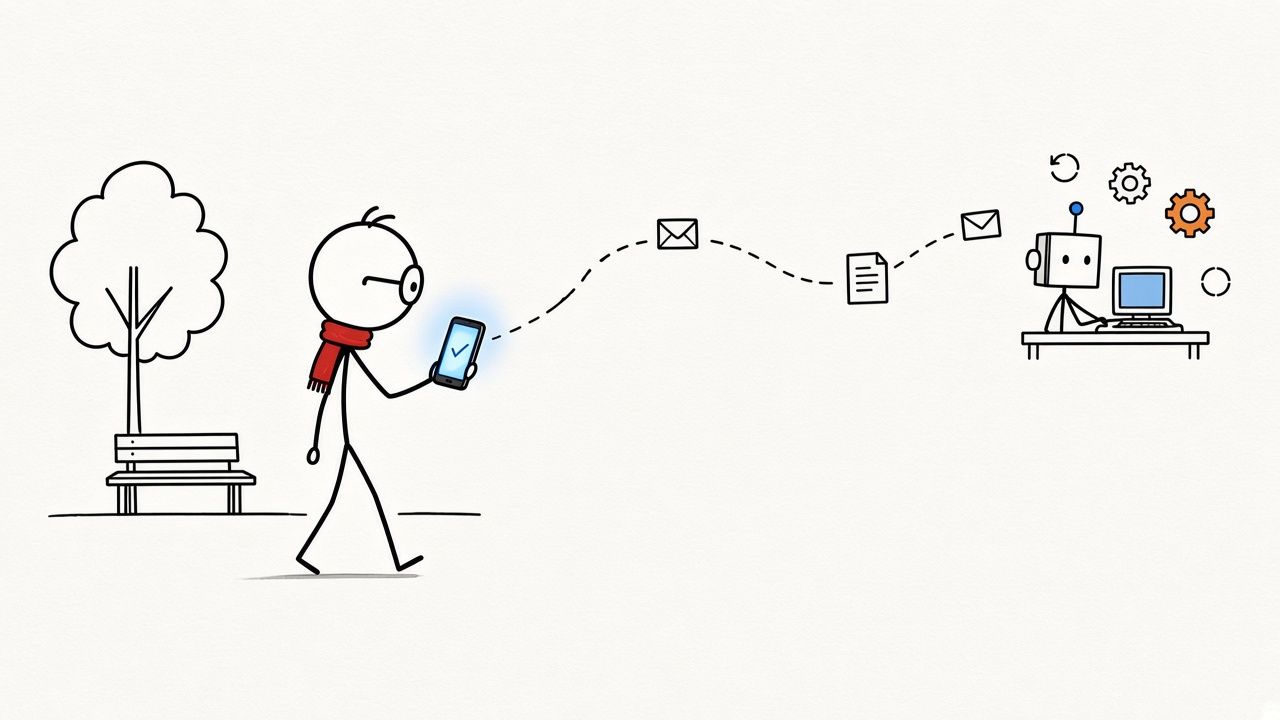
Compared with the first two eras, three things are different.
The person has left the screen. In the first two eras, keyboard, mouse and screen sat between person and computer. With AC, what sits between the person and the agent is a phone and a sentence, typed or spoken. You can be on the sofa, on the road or on a park bench.
The computer has left the person. An AC is not on your desk. It is somewhere else: in the cloud, or in a corner of a bookshelf at home. It is always on. When you walk away, it keeps running.
The user of the computer has changed. Browsers, terminals, folders and apps were designed for people. Now agents use them. The person goes from operator to the one who assigns the task and accepts the result.
In One Person, One Agent I wrote that an agent needs somewhere to live, a place where its memory, files, permissions and tasks persist. AC is that place. That essay was about what an agent needs. This one is about how the computer's role changes, seen from the person's side.
Two kinds of AC: cloud and local
AC comes in two kinds.
One lives in the cloud, like Grok Bot and Muse, and works out of the box. You do not prepare a machine; sign up and you have an always-on computer with a browser, file system and terminal already set up. As I listed last time, Meta gives Muse a long-lived, isolated Linux virtual machine, and xAI says Grok Bot keeps working after you close your laptop.
The other lives locally, like OpenClaw and Hermes. It runs on your own hardware, the data and models stay with you, and you are in charge. The cost is the tinkering: setting up the environment, configuring models, maintaining the machine.
I use both. Which one I pick mostly comes down to three things:
- Where the data is. Code, photos and documents that already live on your own machine are easier to keep local. Things that already live online are smoother in the cloud.
- Whether it must always be on. The cloud does not care about power cuts or a dropped connection. At home, keeping the machine running is your job.
- How much tinkering you accept. The cloud saves effort; local gives freedom. You cannot fully have both.
I do not think it will end up as either-or. I use both myself, and the split is simple: what needs power and convenience goes to the cloud, what is private stays local, and the phone is the shared entry point to both.
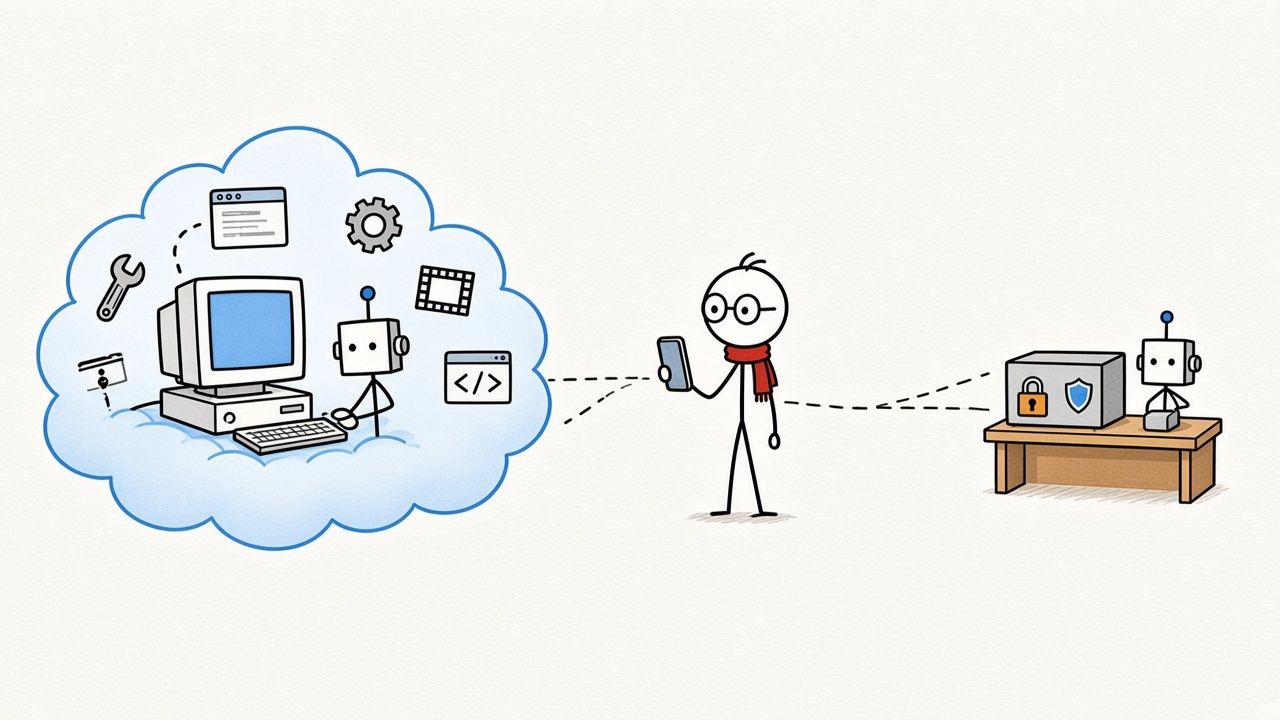
My own AC: cloud and local
Here is how I use it. Most of my work goes to a cloud AC. For capability and convenience, the cloud is still ahead: the tools are all there, it is always on, and I do not maintain the machine. I use Grok Bot every day to research, write first drafts and make videos, and the day-to-day upkeep of this site is handled there too.
Private things stay local. My Hermes runs on a small computer at home, and that is my local AC. It is always on, and it does not need a monitor, because nobody normally sits in front of it.
I talk to it through Telegram. Walking, commuting, before bed, whenever something comes to mind, I send it over. Looking something up, organising notes, running a script: each is one sentence.
To see what it has built up, I connect home through Tailscale from my phone or my work computer. The small machine at home, my phone and my work computer sit on the same private network that outsiders cannot see. Wherever I am, I can open my second-brain graph, see what it remembers and keep asking questions on any node.
The split is: Telegram for input, Tailscale for access, data stays at home. I almost never need to sit in front of that computer.
A very ordinary example. On my commute, I send one line in Telegram asking it to turn a topic we discussed a few days ago into notes. I do not check on it. By the time I reach the office, the finished notes are back on my phone. I read them, mark what needs changing and send them back.
Looking back over the months I have used Hermes, the biggest change is not that it got smarter. It is that my relationship with the computer changed. I used to have to sit down at the computer before any work could start. Now the computer runs at home on its own, and I can hand things over from anywhere.
Away from the screen, but still making the call
While we were making the video, one draft of the narration said of the second era that "the steering wheel is still in your hands." I pushed back: in the AC era, the wheel should stay in human hands too.
Leaving the screen does not mean leaving the decisions. An agent can open a browser, run code and make a video on its own, but when it is done it should send the result back for a person to review and sign off. That is a step I do not want to skip.
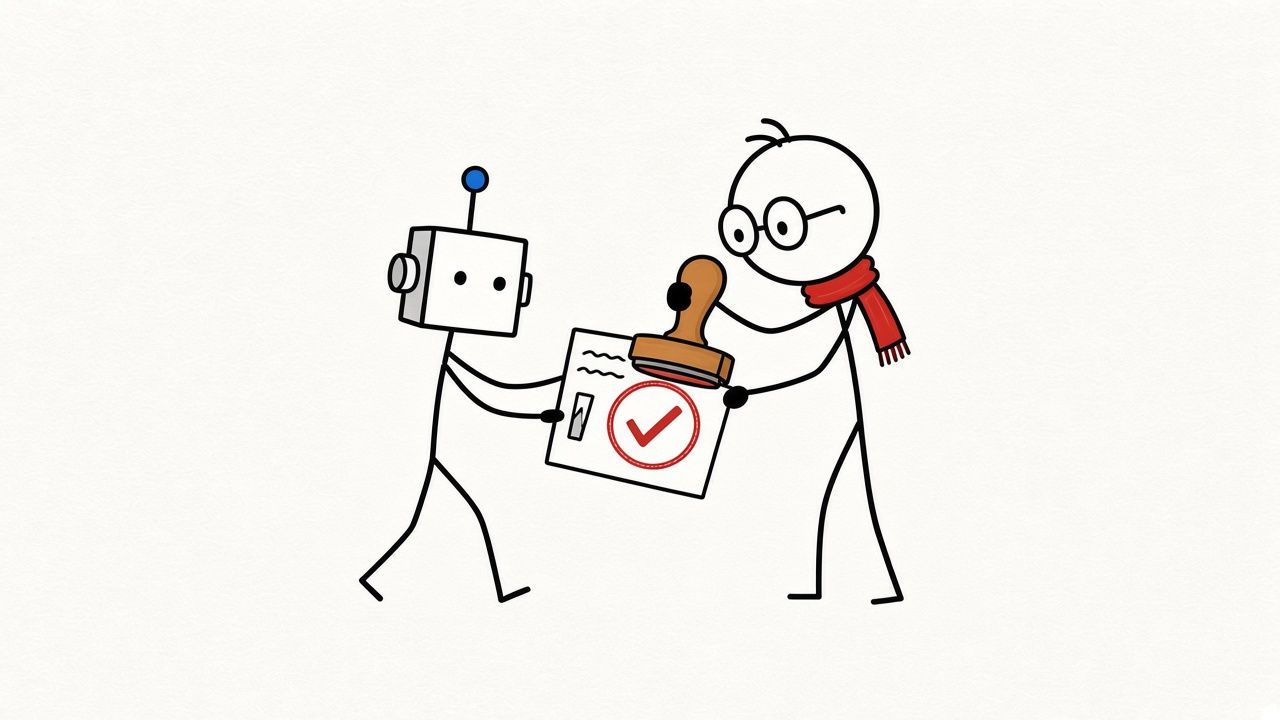
I made a similar trade-off in the second-brain graph: the wiki is read-only by default, and only the "Save to Wiki" button writes files. Letting AI organise my memory automatically is convenient, but letting it change my memory without my knowing is not something I am comfortable with. I kept the write-back step for myself.
AC is the same. Which jobs it finishes on its own and which ones must stop and wait for my nod: that line needs to be drawn in advance.
My line is this. Publishing anything, spending money, deleting things and messaging other people in my name: those four always wait for my OK. Research, drafts, organising notes and first versions it can finish on its own and then hand to me to review.
The clearer the line, the more comfortably a person can walk away from the screen.
Closing
In the first era, people used the computer. In the second, people and AI used it together. In the third, the computer is handed to agents; the person says one sentence into a phone and makes the final call.
These three ways of working will not replace one another. I am writing this essay at a screen, revising it word by word. But more and more of what I do no longer needs me to sit in front of a computer.
The last line of the video's narration is: cloud or local, there is only one direction. Everyone will have an AI computer of their own.
I believe that. It is just that this computer probably will not be on your desk.
References
-
AITi NO.008, One Person, One Agent
https://www.getaiti.com/en/articles/008-one-agent-per-person/ -
AITi NO.009, I Turned All My Chats with Hermes into a Second-Brain Graph
https://www.getaiti.com/en/articles/009-second-brain-graph/ -
Meta — Muse
https://ai.meta.com/muse -
xAI — Grok Bot Overview
https://docs.x.ai/grok-bot/overview -
Tailscale — What is Tailscale?
https://tailscale.com/docs/concepts/what-is-tailscale
Subscribe · EMAIL
Get the next essay by email
One original essay a week. Send a short note and you’ll be on the list — or follow the RSS feed if you’d rather not use email.
ONE ESSAY